LINUX: Instalacija i povezivanje s Filezillom (pristup serveru)
What will this article teach you?
You'll learn how to save the KlaTV-broadcasts to your own hard drive via server access. They'll be organized by date or topic, and in various qualities. You'll also learn how to search for specific programs in downloaded documents using keywords.
Video tutorial: (13min)
We recommend watching the video first to better understand the written instructions.
Written instructions:
1. Access to the server:
-
Go to the site kla.tv/downloader
-
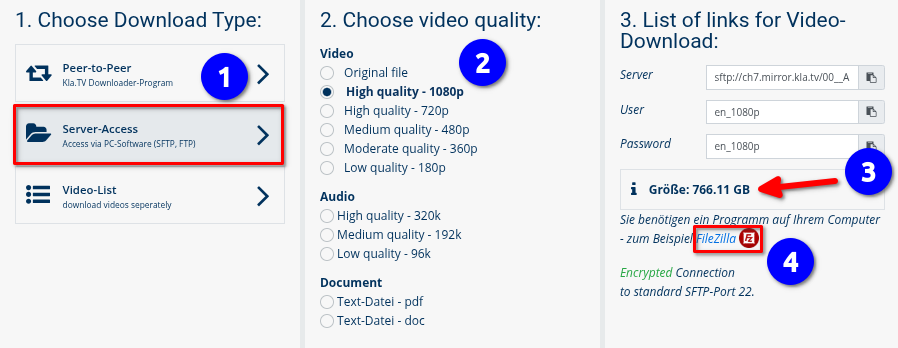
Go to ❶ "Server-Access" (See image down below)→ and choose the preferred ❷ Quality.
→ TIP: Multiple selections are not possible. This article explains how to save multiple qualities in the same folder structure: click here → Download multiple qualities
-
The red arrow ❸ shows you how much free space you need on your hard drive. Adjust the quality accordingly.
-
Next, you need the program "FileZilla". ❹

2. Installing FileZilla:
Depending on your Linux version, there are different ways to do this. Here are two ways to do it with Ubuntu:
Open the terminal (Ctrl + Alt + T) and enter the following commands:
Installation
$ sudo apt update
$ sudo apt install -y filezilla
Checking the installation
$ sudo apt list --installed | grep filezilla
$ filezilla --version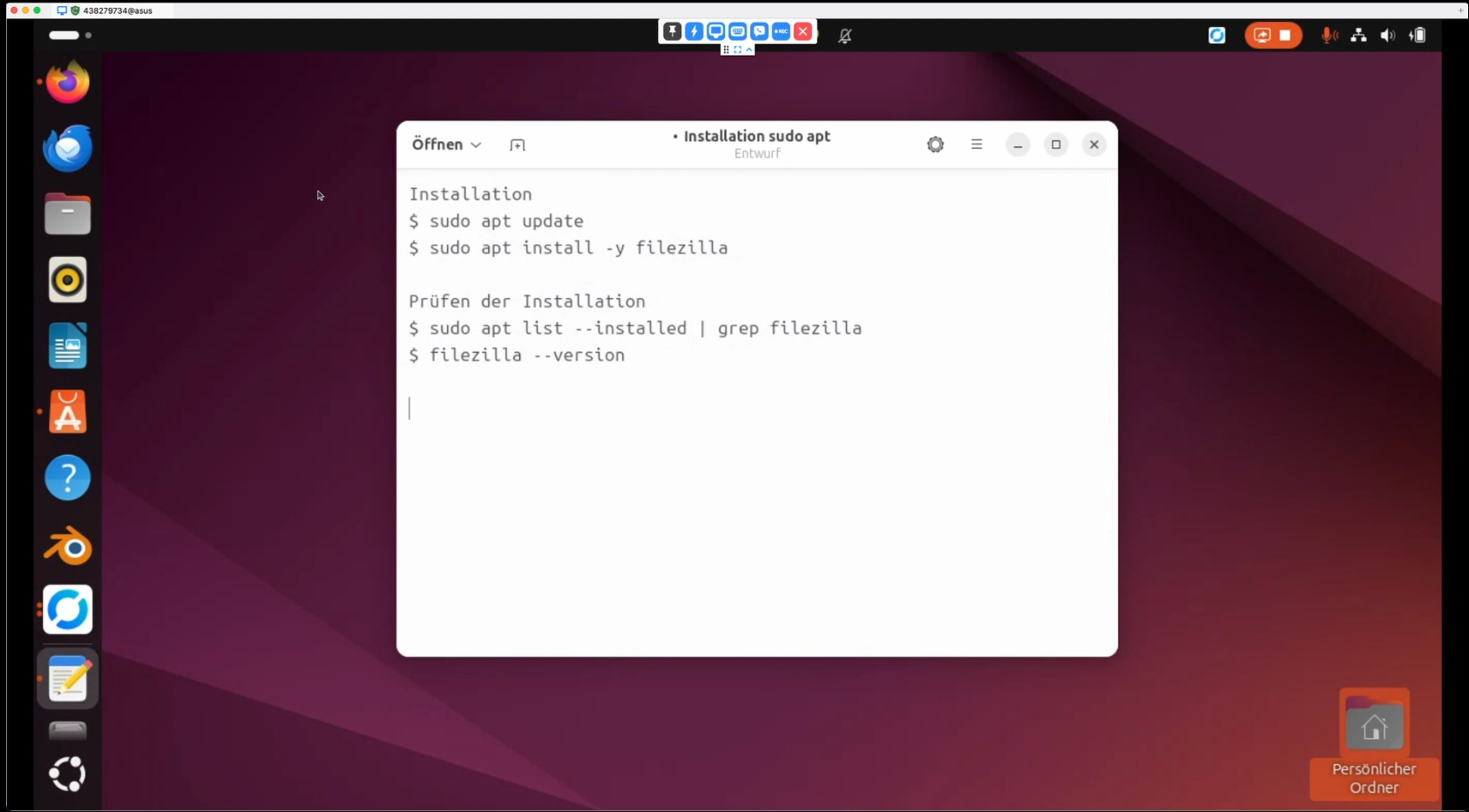
Or you go to the Application Center (or Software Manager if you're on Linux Mint)
and enter "filezilla" in the search field. Then click on Install/Launch.
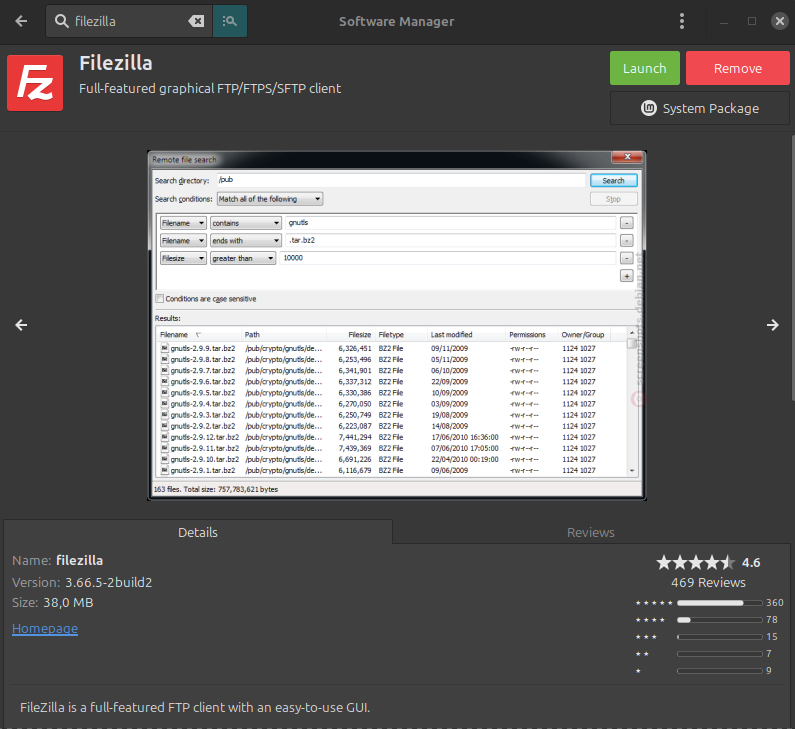
After that you can simply go to the application:
3. Setting up FileZilla:
-
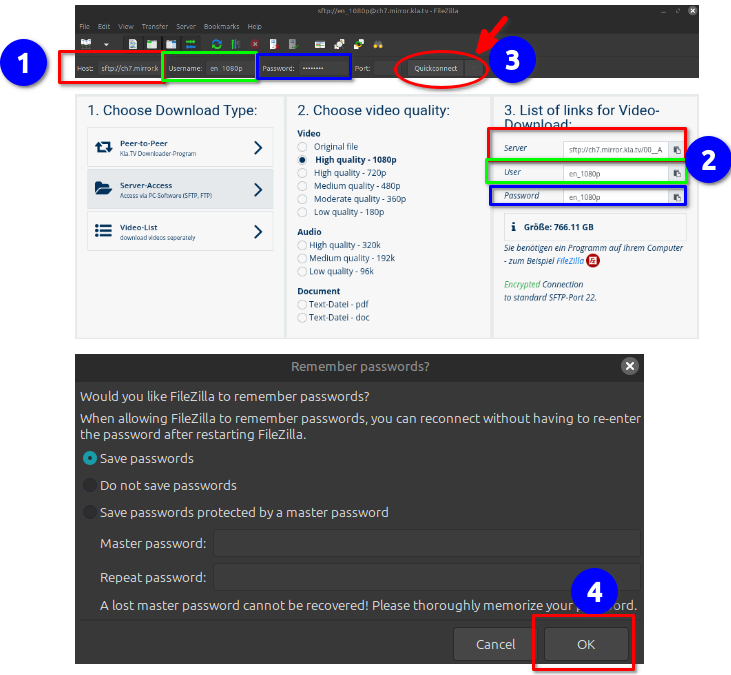
Copy the server information you find on the ❷ kla.tv/downloader website shown in ❶ FileZilla → then click ❸ "Quickconnect": (Click on the "Copy" icon and paste it into FileZilla ["Ctrl" + "V"]
- A ❹ message appears, click OK
-

4. Downloading the broadcasts:
-
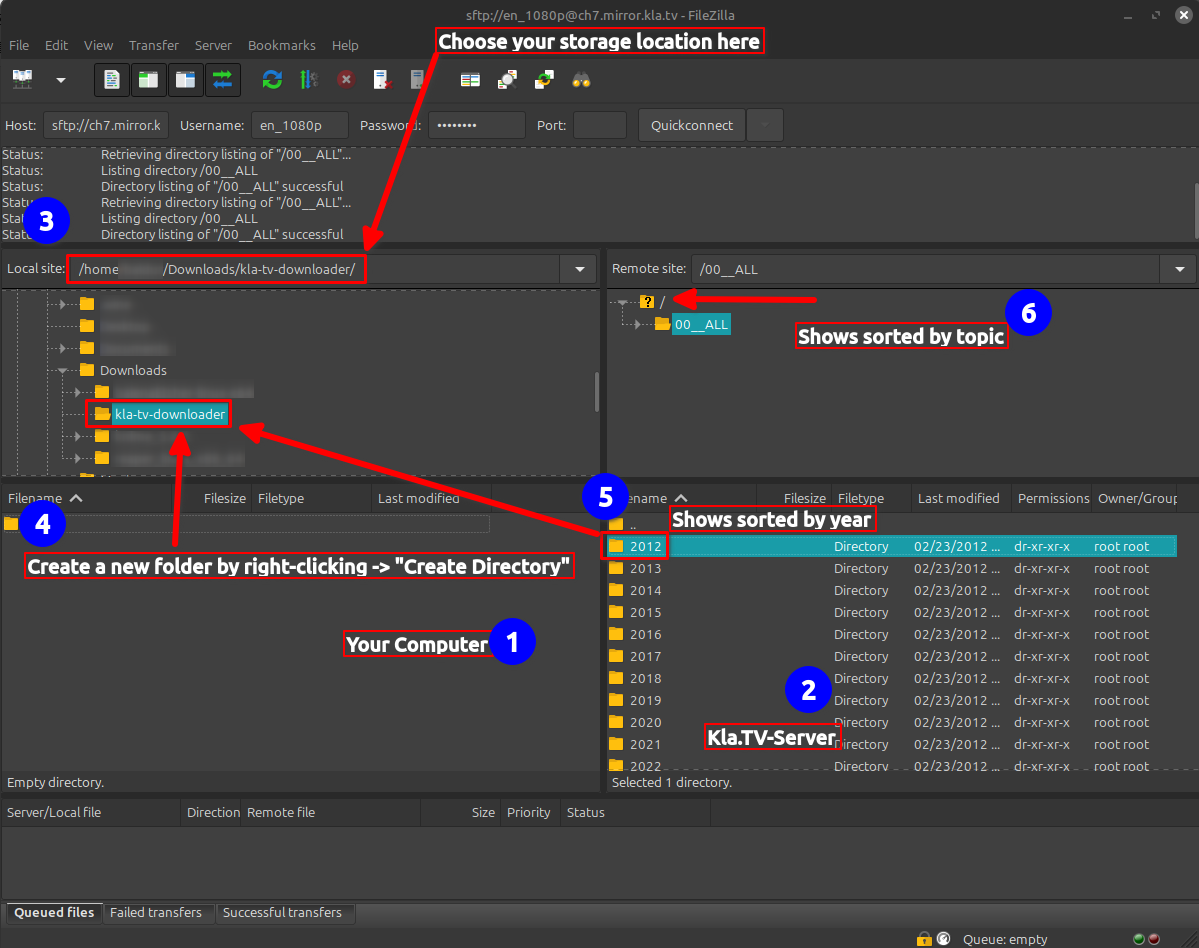
❶ On the left you see your computer, on the right the ❷ Kla.TV server.
Navigate to ❸ your hard drive on the left. (Select Volumes at the top and then the hard drive)
Create a ❹ new folder by right-clicking "Create Directory" → name the folder, for example, "KlaTV Backup"
Drag the ❺ desired program folder to your hard drive while holding down the mouse button.You can also download an ❻ entire topic area (e.g., 5G, vaccination, Bill Gates, etc.). The disadvantage here is that new videos are constantly being added over time and saved in multiple topic folders for the same programs. You would have to constantly synchronize with your hard drive, which requires more storage space.
❼ Below you can see how the videos are downloaded one after the other (this can take a very long time).
→ TIP: Here you can learn how to limit the internet speed for FileZilla so that you can still work on the internet: click here → Limit FileZilla speed
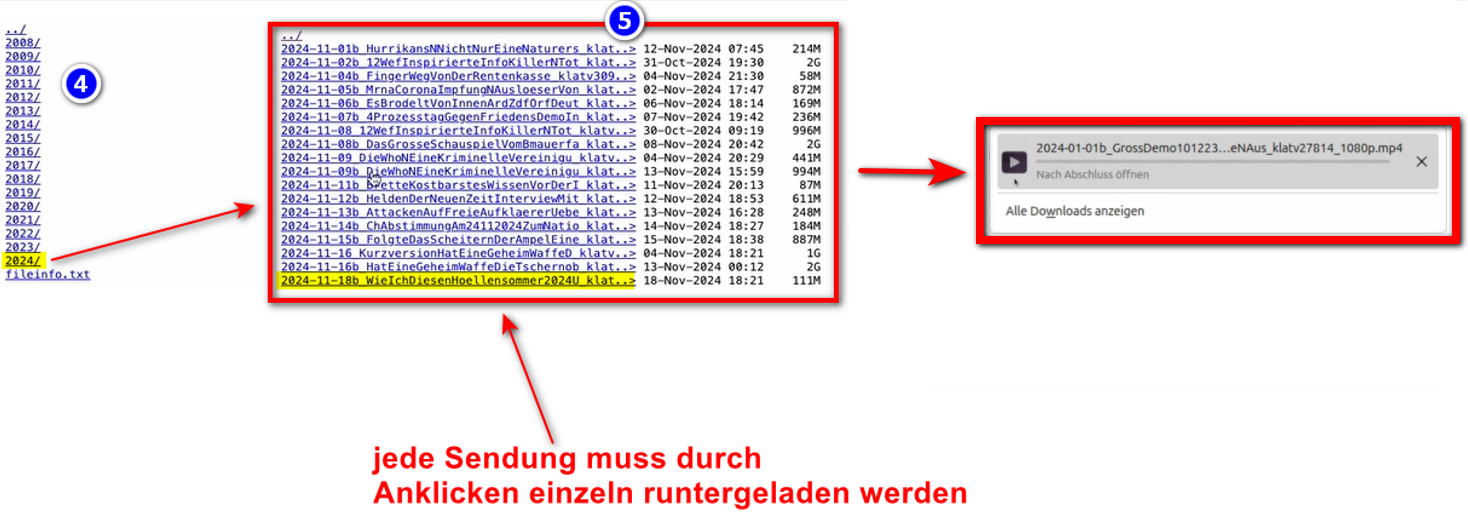
5. ALTERNATIVE - Sendungen sichern ohne FileZilla:
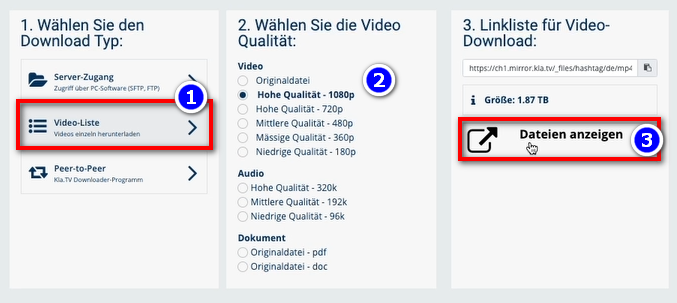
- Gehe auf kla.tv/sichern → ❶ Video-Liste → wähle die gewünschte ❷ Qualität → klicke auf ❸ "Dateien anzeigen"
- Nun werden alle Videos ❹ nach Jahr / Monat aufgelistet. Klicke in das gewünschte Jahr/Monat und klicke die
❺ Sendung an. Jede einzelne Sendung muss einzeln runtergeladen werden. - Go to kla.tv/secure → ❶ Video List → select the desired ❷ quality → click ❸ "Show Files"
Now all videos ❹ will be listed by year/month. Click on the desired year/month and click on the
❺ program. Each individual program must be downloaded separately.
→ TIPP: Dies ist sehr aufwändig und Zeitintensiv. Daher ist die Variante mit FileZilla empfohlen


Također preporučujemo sljedeće tečajeve obuke:
Određivanje prostora za pohranu - Kako mogu saznati koliko prostora za pohranu mi je potrebno samo za određene mape?
Kako mogu ograničiti brzinu FileZille?
Kako mogu preuzeti više kvaliteta?
Kako mogu pretraživati svoju sigurnosno kopiranu arhivu?