# Anleitung Kla.TV T-Shirt bedrucken lassen
### VORBEREITUNGEN
##### **1. Wähle eines von den drei Logos. Lade es dir auf der linken Seite dieses Artikels, bei "Anhänge" herunter.**
[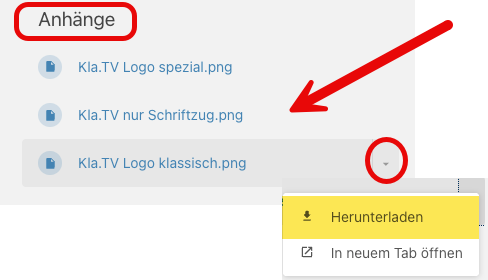](https://wiki.kla.tv/uploads/images/gallery/2026-08/eLaX2XwtVQY048Jz-image.png)
[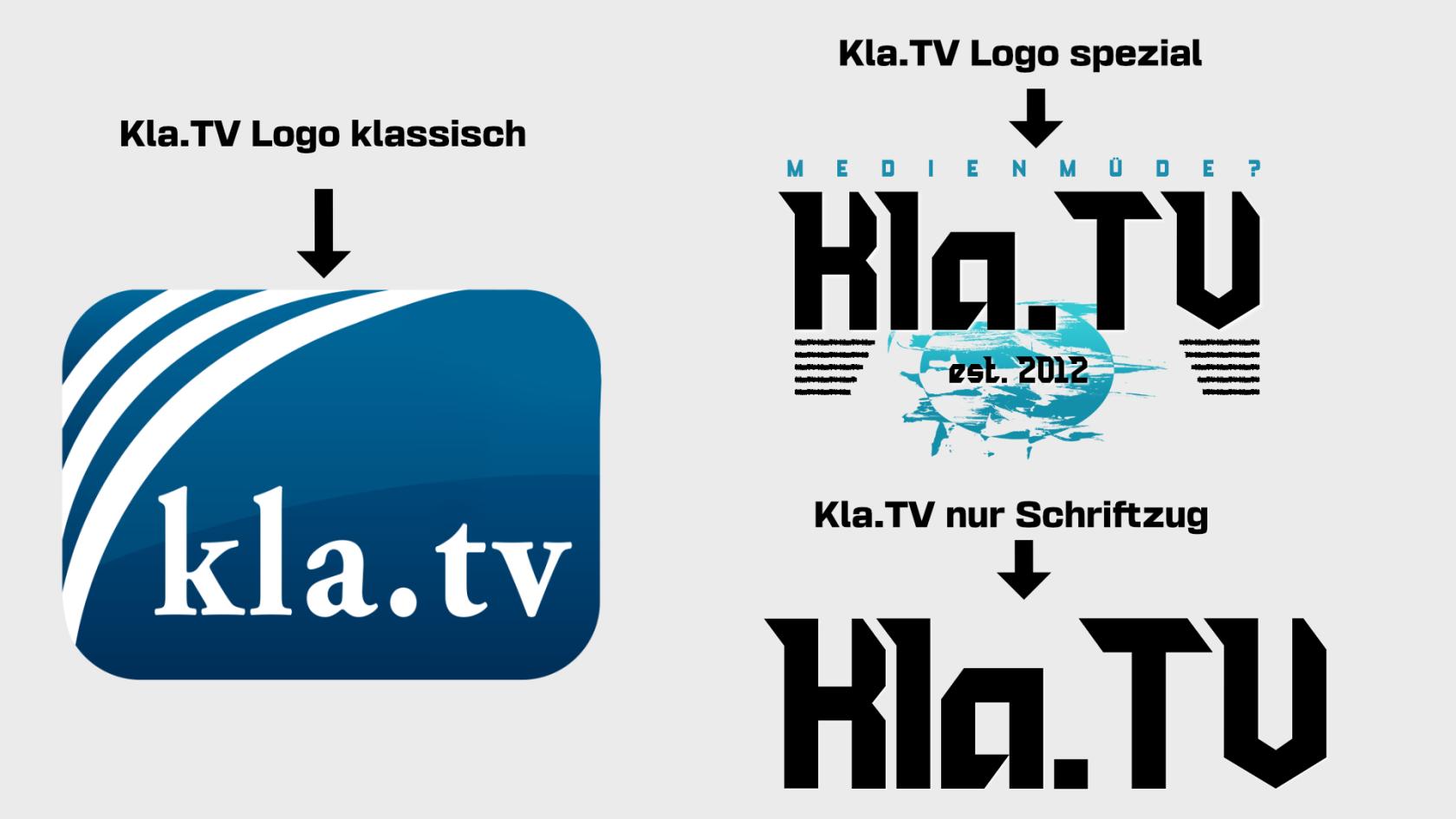](https://wiki.kla.tv/uploads/images/gallery/2026-08/XtFISqPQy2huIBjY-kla-tv-verschiedene-logos.jpg)
##### **2. Öffne die passende Seite um dein T-Shirt bedrucken zu lassen:**
- Wenn du aus der **Schweiz** kommst, öffne diesen Link: [https://www.wir-machen-druck.ch/](https://www.wir-machen-druck.ch/)
- Wenn du aus **Deutschland** kommst, öffne diesen Link: [https://www.wir-machen-druck.de/](https://www.wir-machen-druck.de/)
[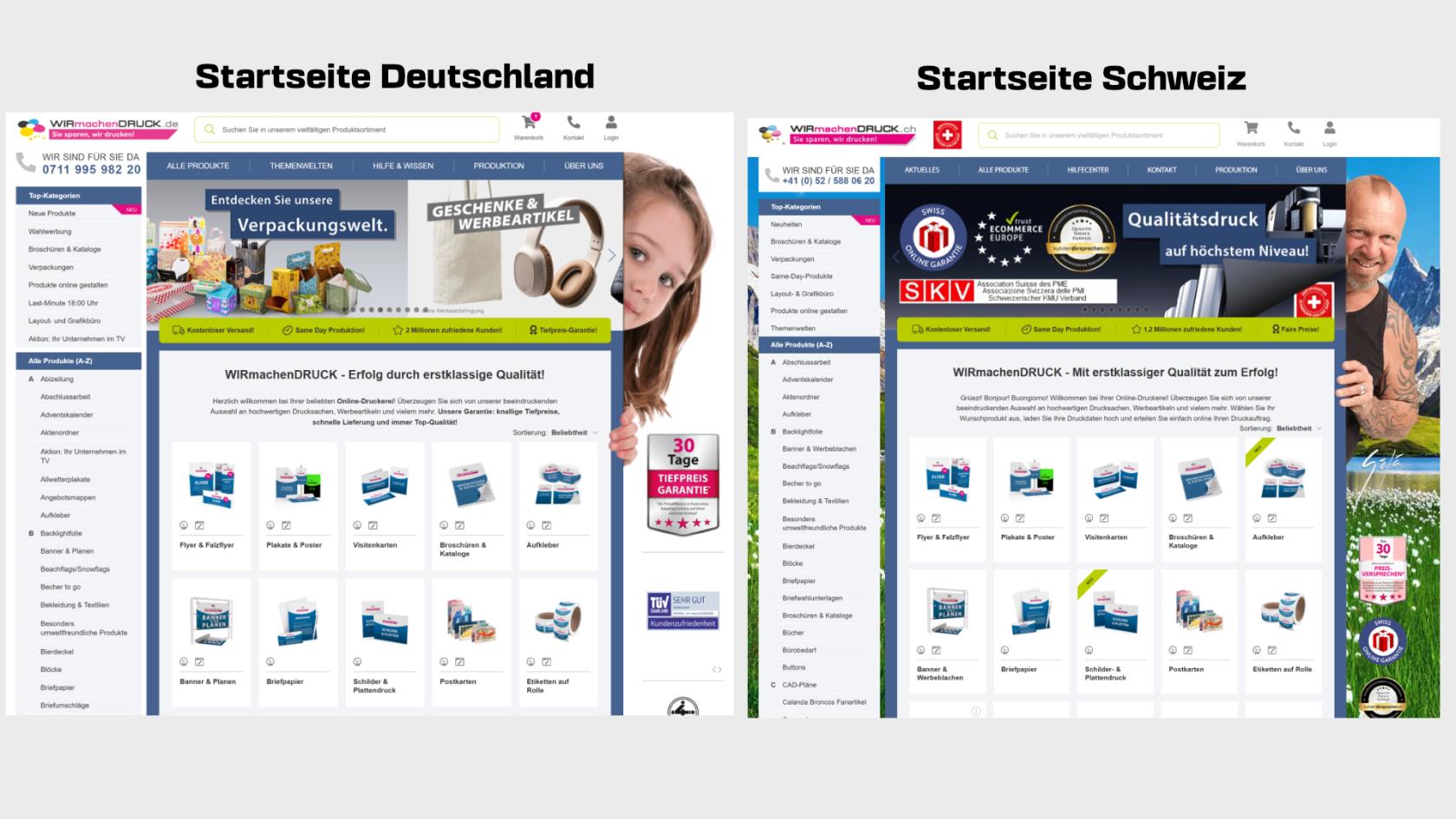](https://wiki.kla.tv/uploads/images/gallery/2026-08/i0yq1r2pwmMF4Nw1-startseite.jpg)
##### **3. Klicke auf der Startseite auf den passenden Reiter "T-Shirt"**
[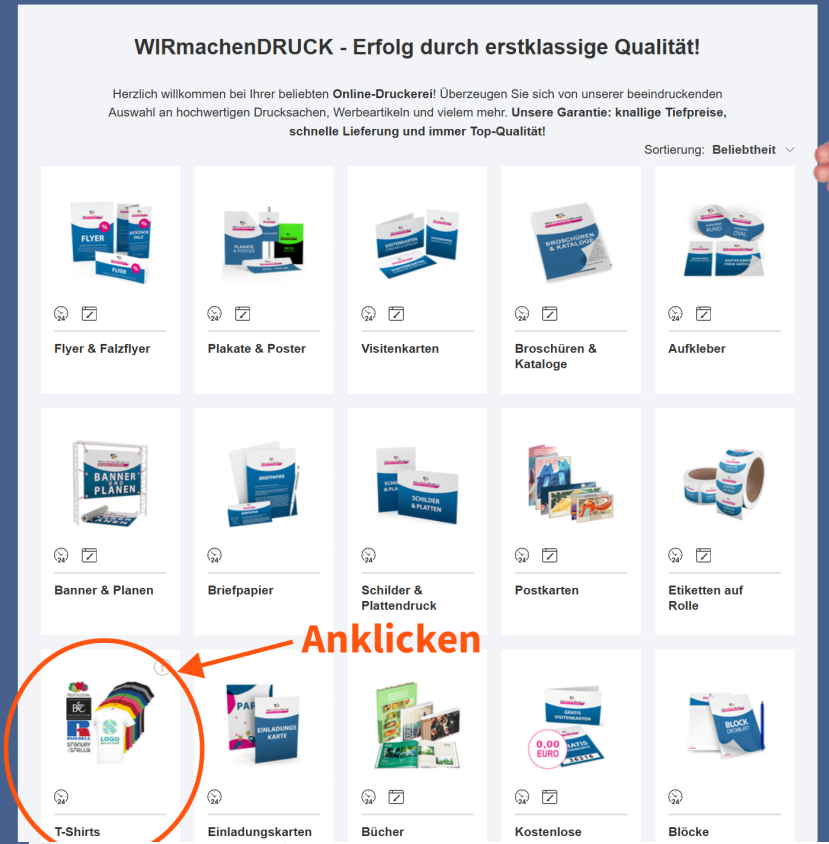](https://wiki.kla.tv/uploads/images/gallery/2026-08/w6IVpyfFP4FmNBYi-image.png)
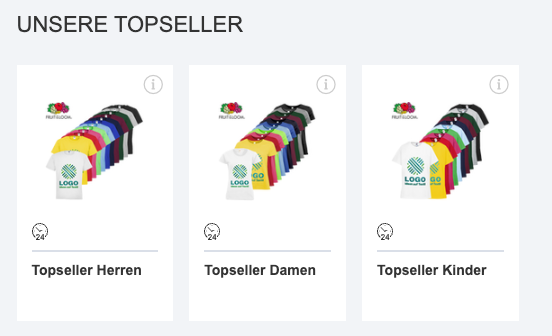
##### **4. Klicke auf Herren/Damen/Kinder bei Topseller**
[](https://wiki.kla.tv/uploads/images/gallery/2026-08/757RUusHrBfurW5y-image.png)
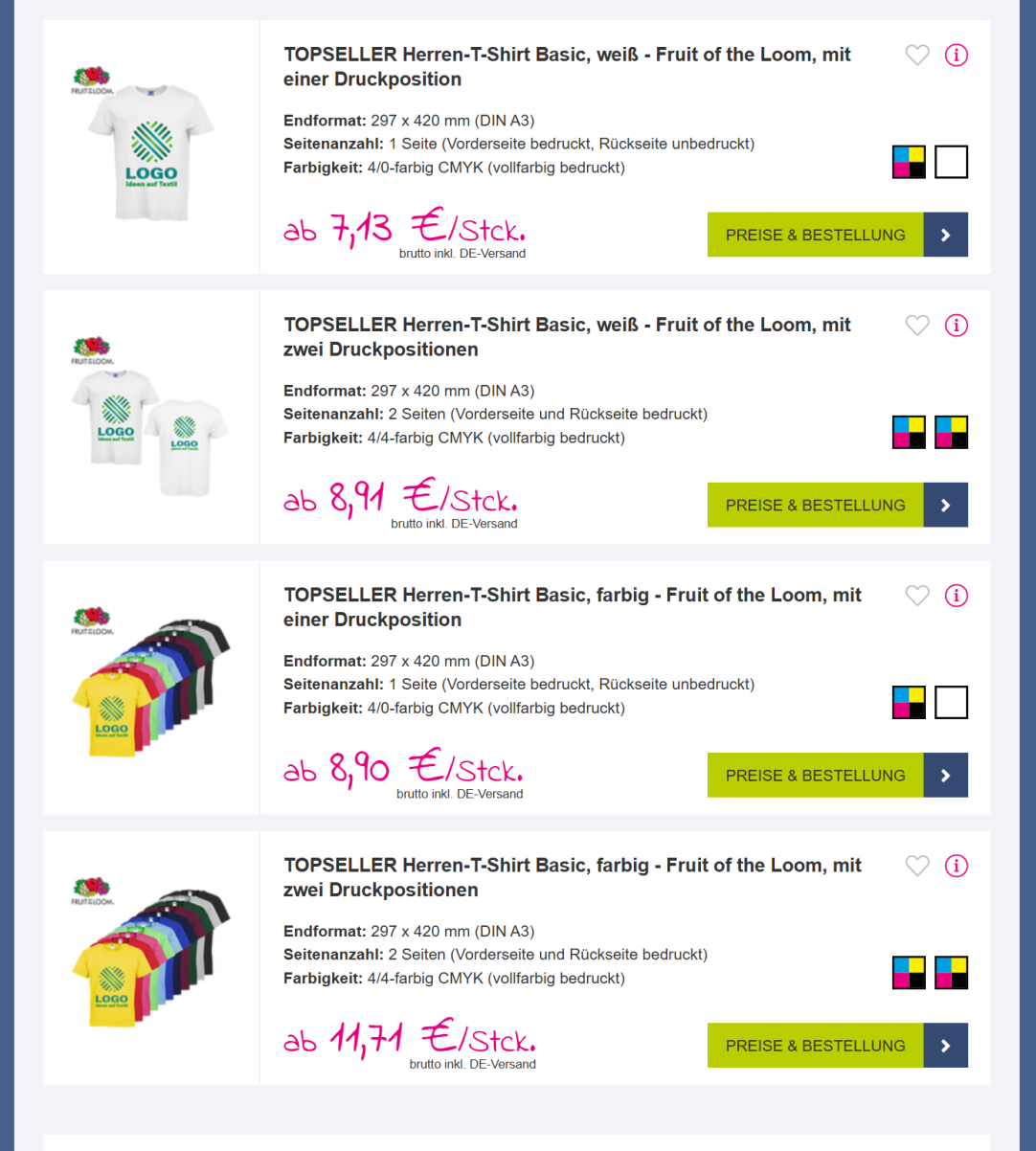
##### **5. T-Shirt Druck und Farbe wählen**
Du kannst nun wählen, ob du das T-Shirt **beidseitig** oder **einseitig** bedruckt haben möchtest und ob es ein **weißes** oder ein **farbiges T-Shirt** sein soll.
[](https://wiki.kla.tv/uploads/images/gallery/2026-08/PObVXoHPbS14SPyC-image.png)
### BEISPIEL 1
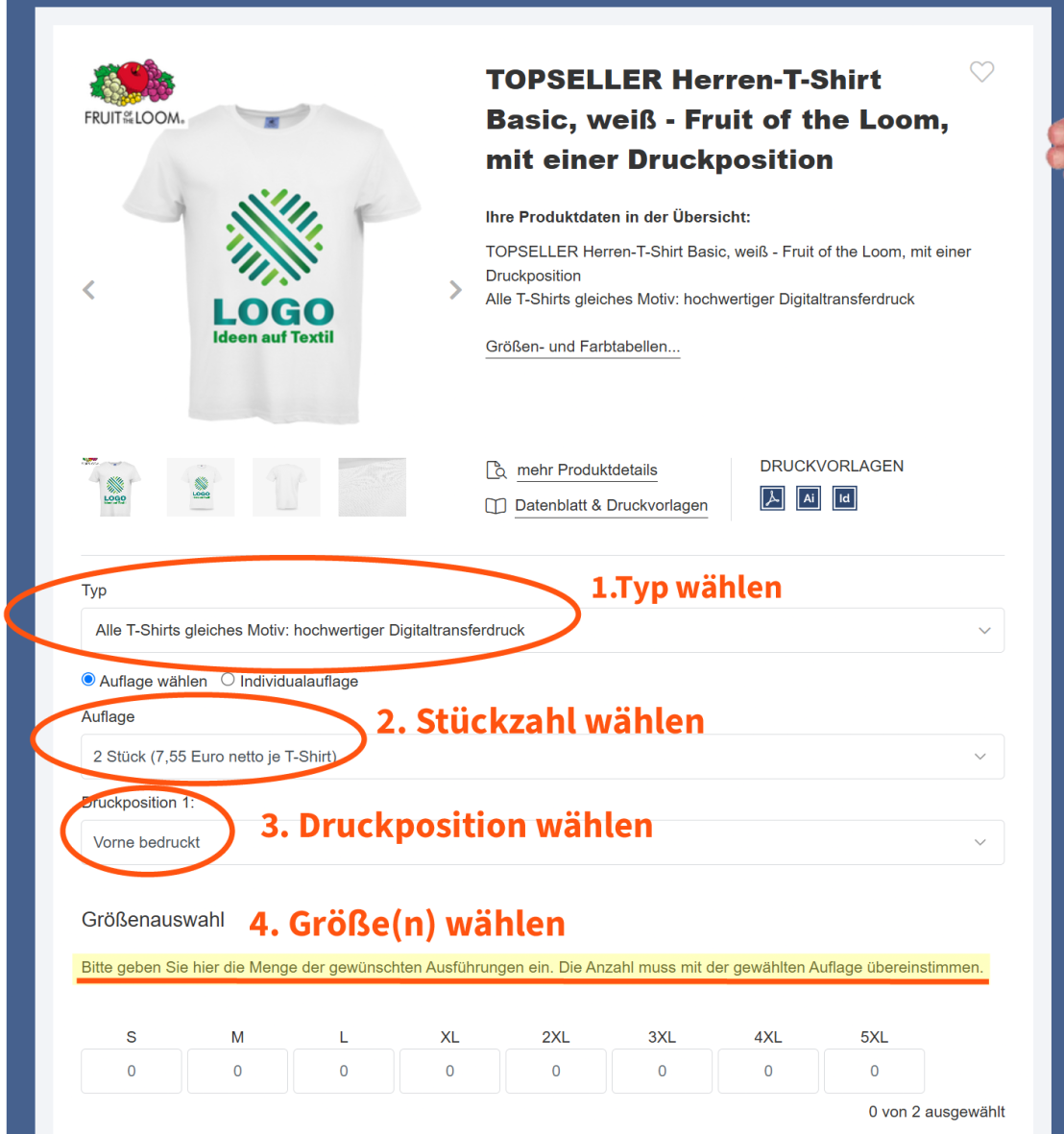
##### **1. Einseitiger Druck weiß**
[](https://wiki.kla.tv/uploads/images/gallery/2026-08/vMoTwrq60EK2svwH-image.png)
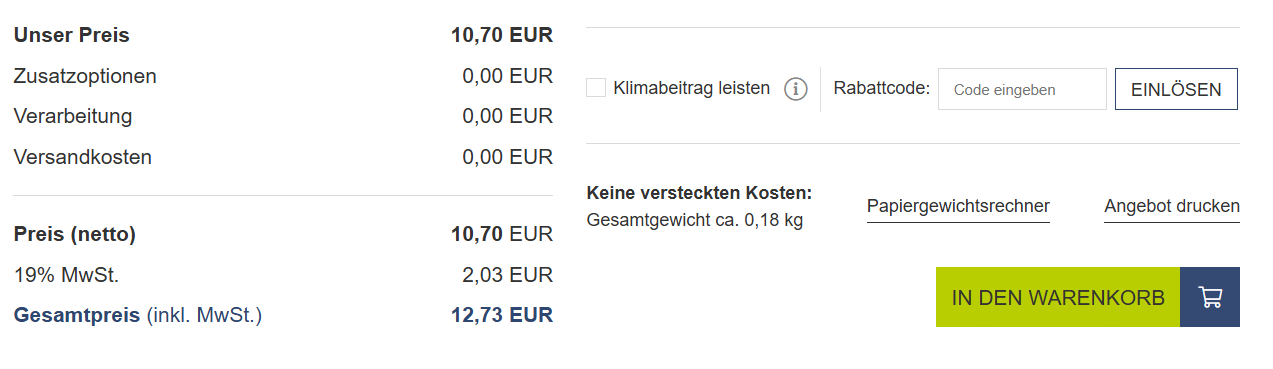
##### **2. Scrolle hinunter und klicke auf "In den Warenkorb" **
[](https://wiki.kla.tv/uploads/images/gallery/2026-08/7DDuLXxOW8SDIDik-7-in-den-warenkorb-gehen.png)
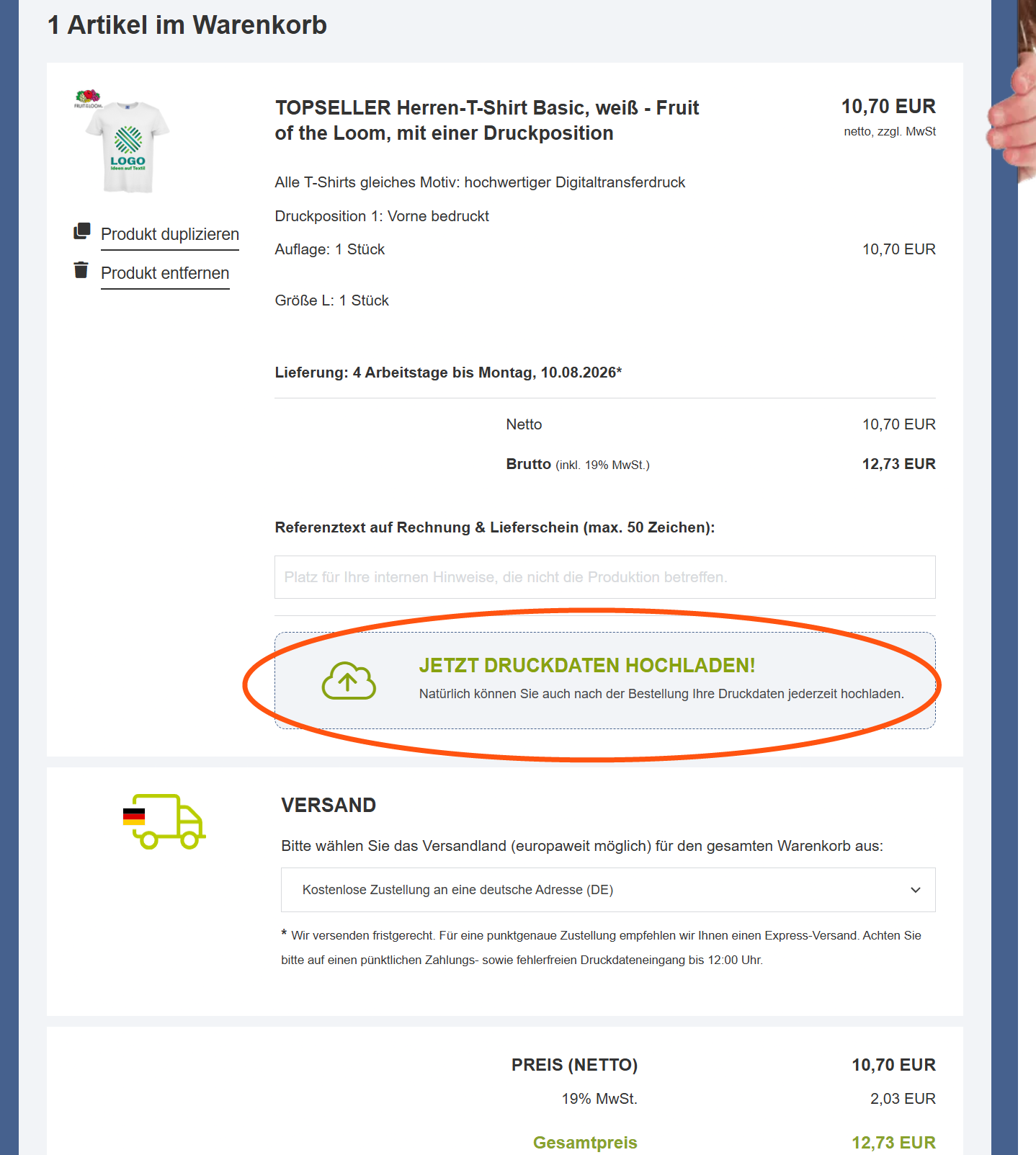
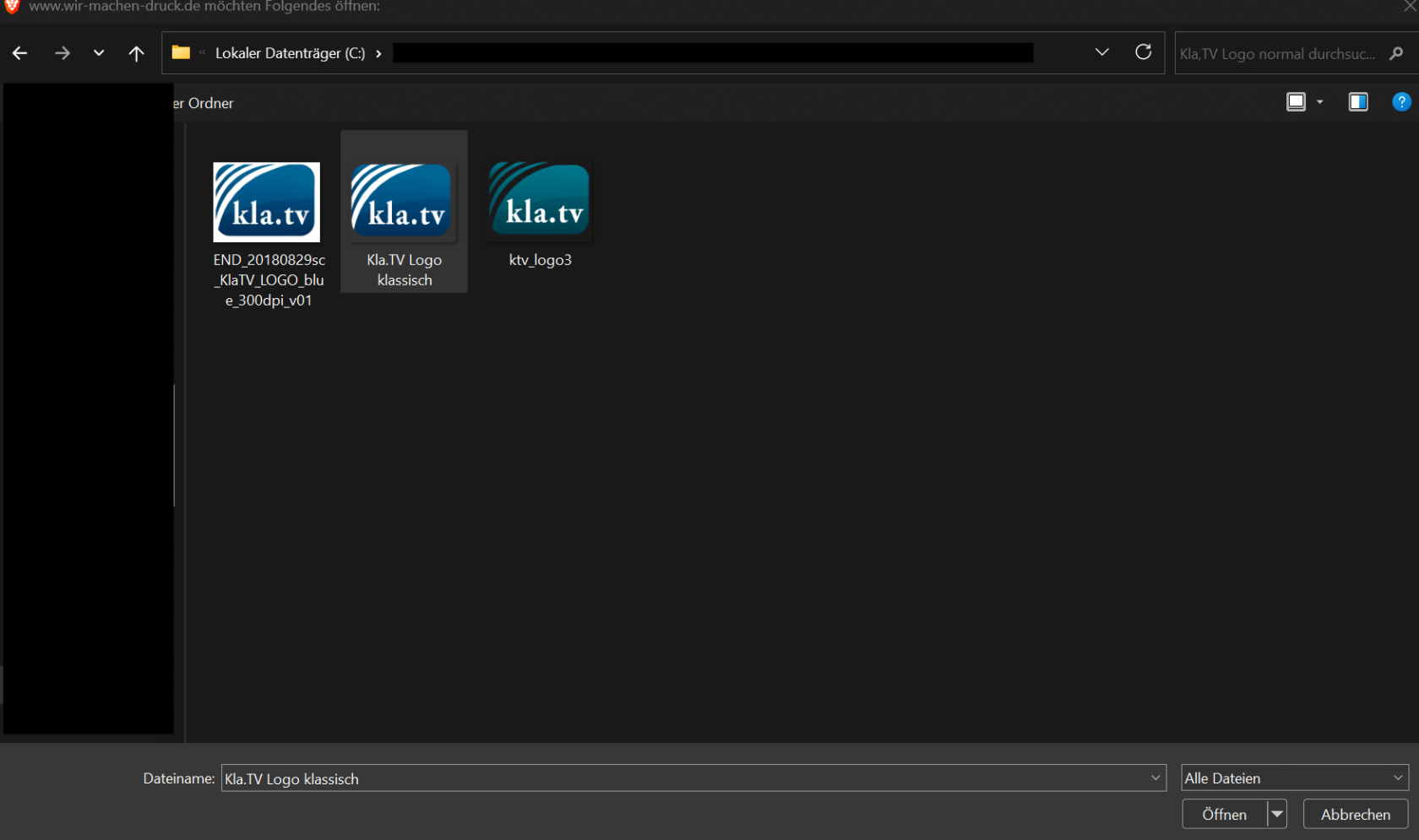
##### **3. Klicke auf "Jetzt Druckdaten hochladen" und lade das in Schritt 1 heruntergeladene Logo hoch**
[](https://wiki.kla.tv/uploads/images/gallery/2026-08/MKo4mulO1ZNHd4zH-8-druckdaten-hochladen.png)
[](https://wiki.kla.tv/uploads/images/gallery/2026-08/WndrEfOEHm3QXgHa-8-druckdaten-hochladen-2.png)
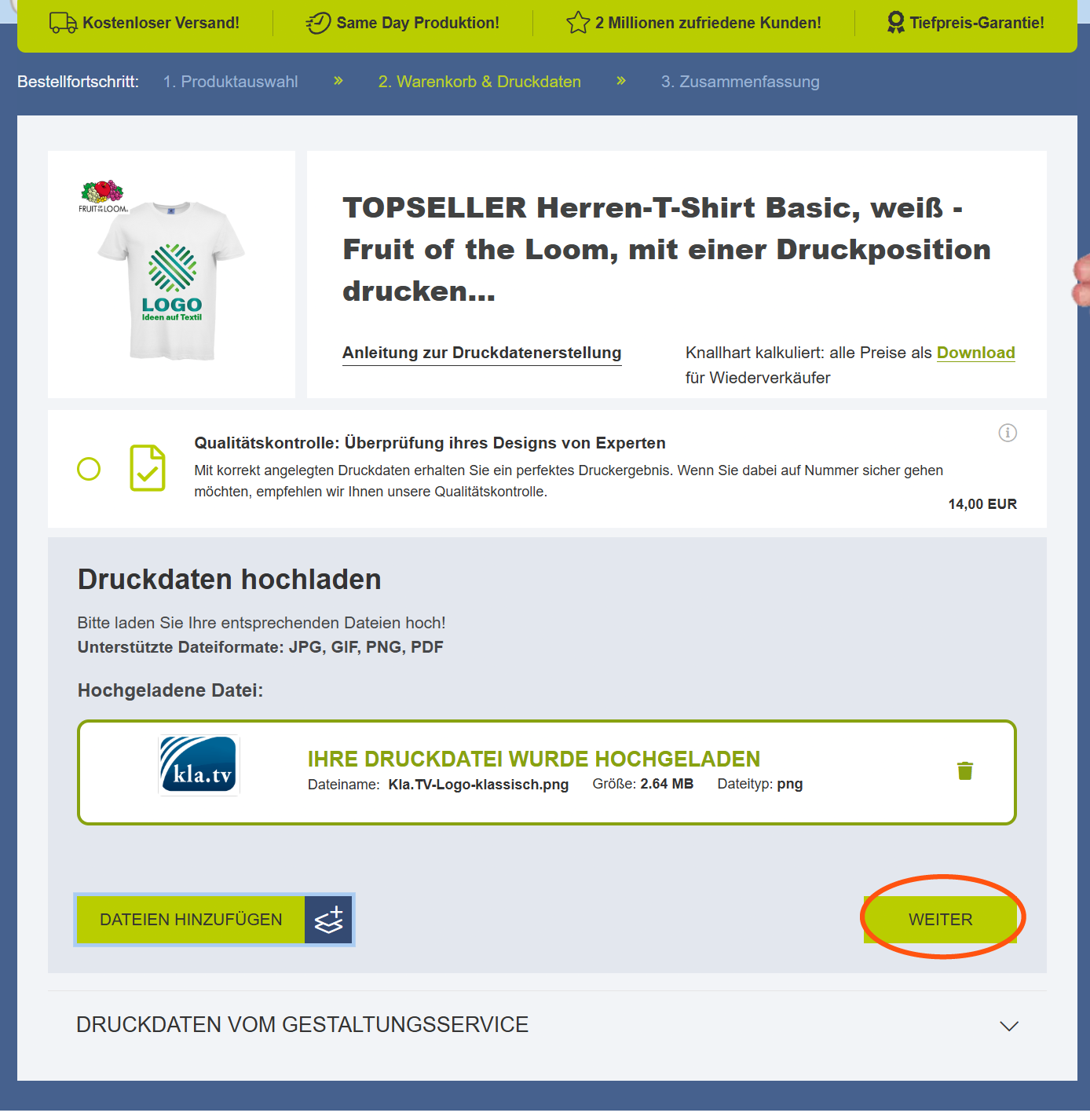
##### **4. Klicke auf "weiter"**
[](https://wiki.kla.tv/uploads/images/gallery/2026-08/zTaIXkKEzDQENq56-8-druckdaten-hochladen-3.png)
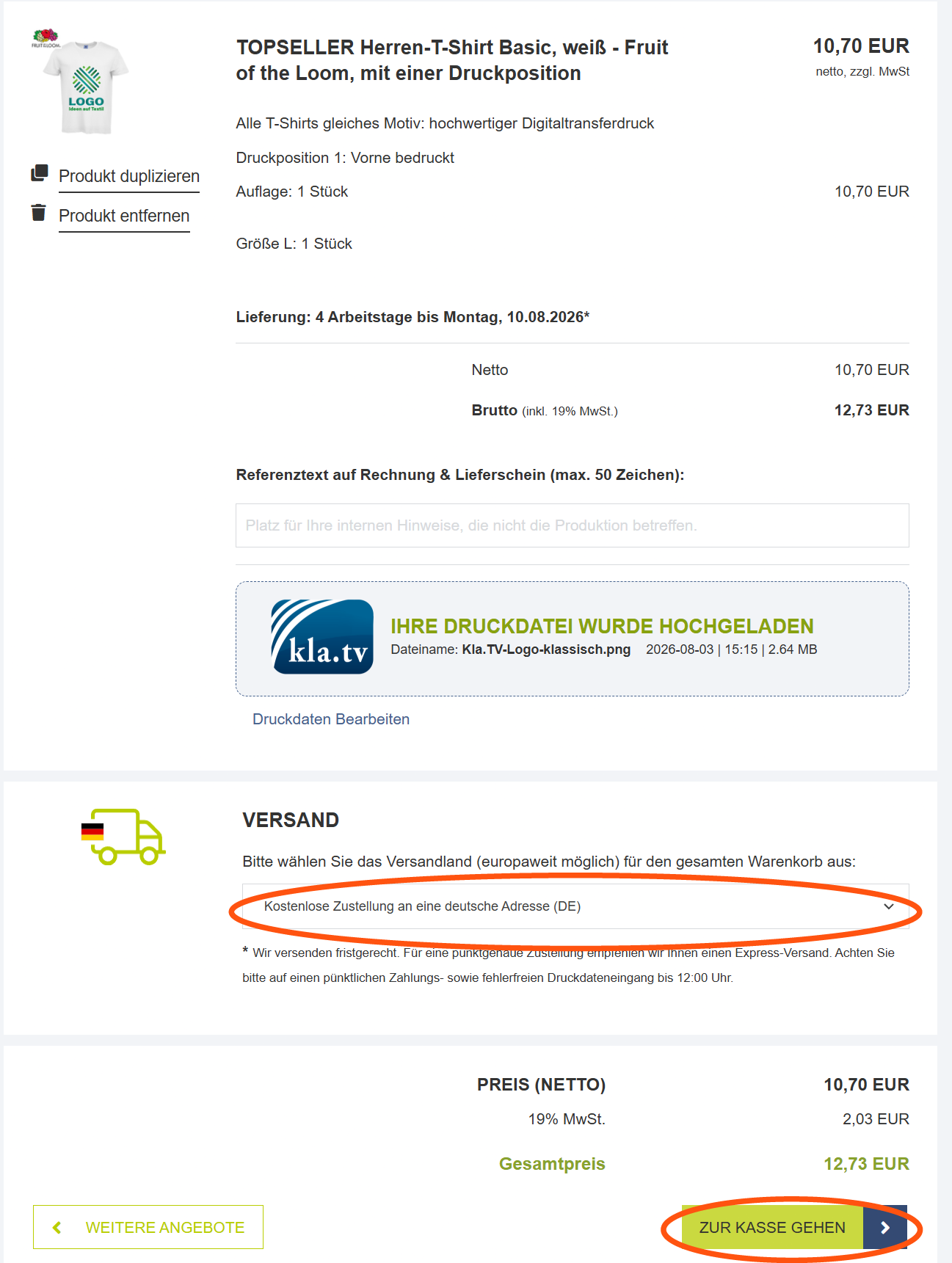
##### **5. Gib das Versandland an und klicke auf "Zur Kasse gehen"**
[](https://wiki.kla.tv/uploads/images/gallery/2026-08/0pAAC7LODVBXA0ez-9-adresse-und-bezahlung.png)
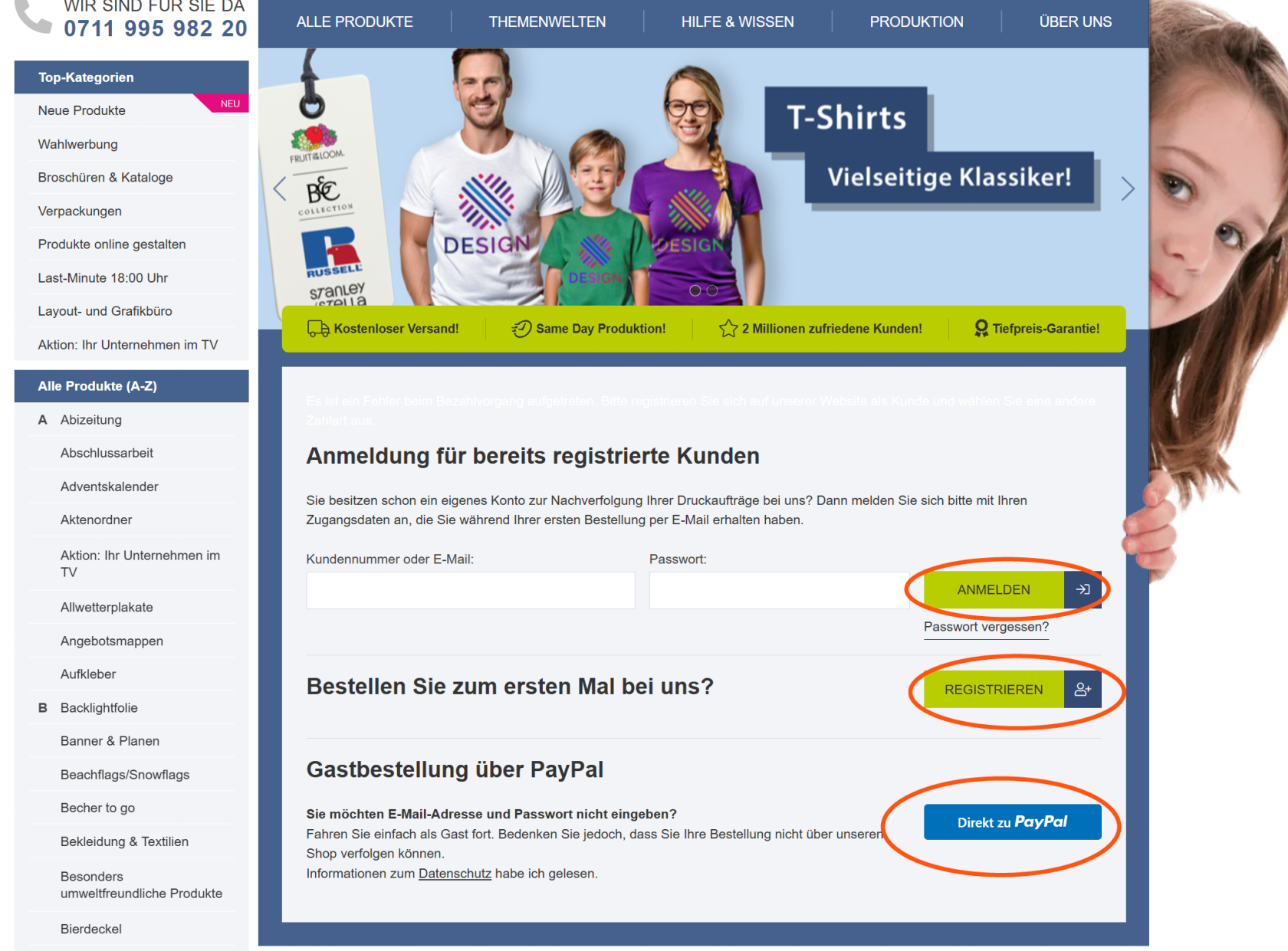
##### **6. Bestelle direkt über Paypal oder erstelle ein neues Konto**
[](https://wiki.kla.tv/uploads/images/gallery/2026-08/PLKoADDj69HGgXDa-10-bestellung.png)
### BEISPIEL 2
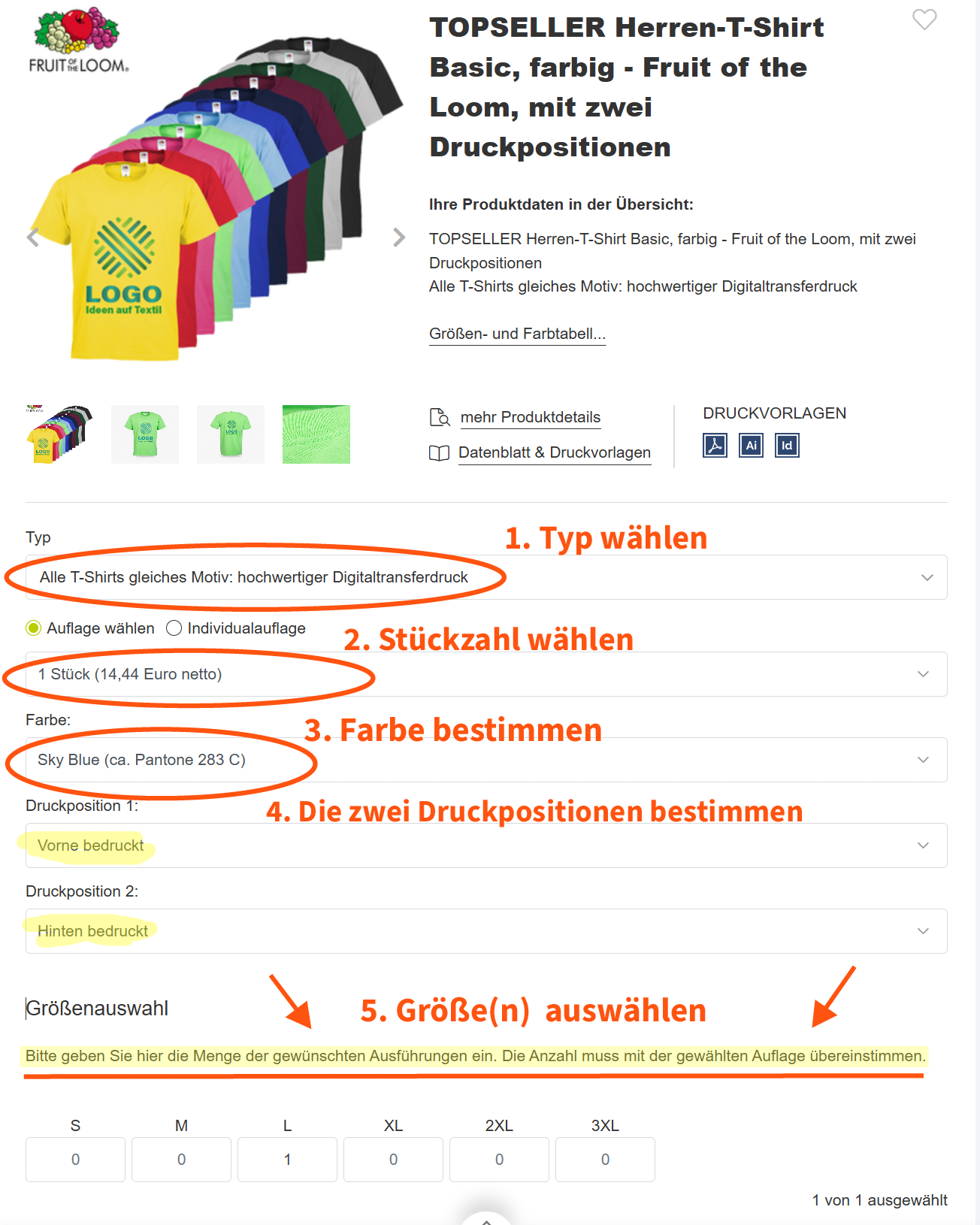
##### **1. Zweiseitiger Druck auf farbigem T-Shirt**
Nachdem du nun **Schritt 1-5 bei Vorbereitungen** ausgeführt hast, kannst du nun hier die beliebigen Druckdetails für den **beidseitigen Druck** auf einem **bunten T-Shirt** angeben.
[](https://wiki.kla.tv/uploads/images/gallery/2026-08/7mCOdAySA2JdF0mq-beidseitiger-druck-bunt-01.png).
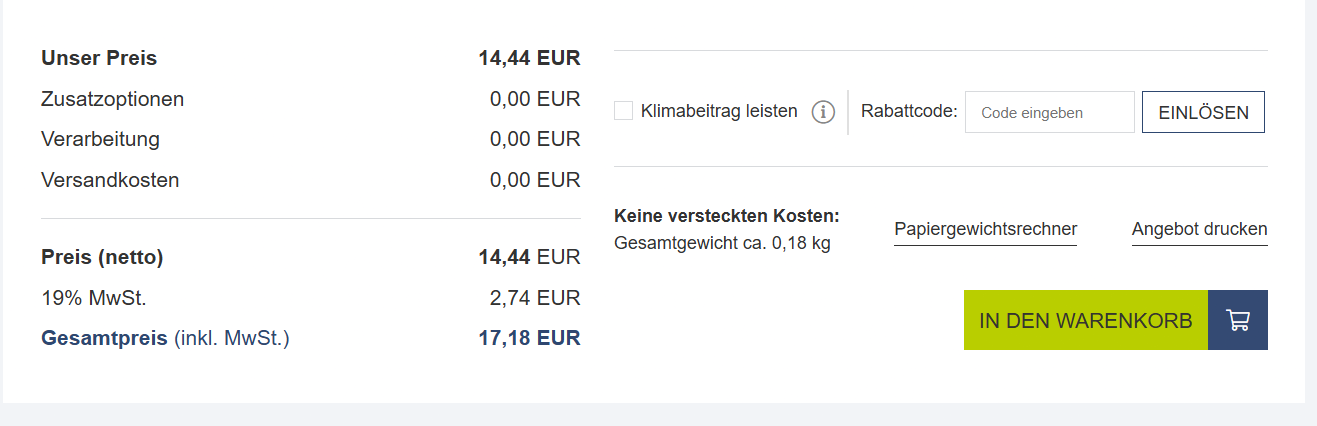
##### **2. Scrolle hinunter und klicke auf "In den Warenkorb" **
[](https://wiki.kla.tv/uploads/images/gallery/2026-08/G9r9nMYL4KIpBpNA-beidseitiger-druck-bunt-02.png)
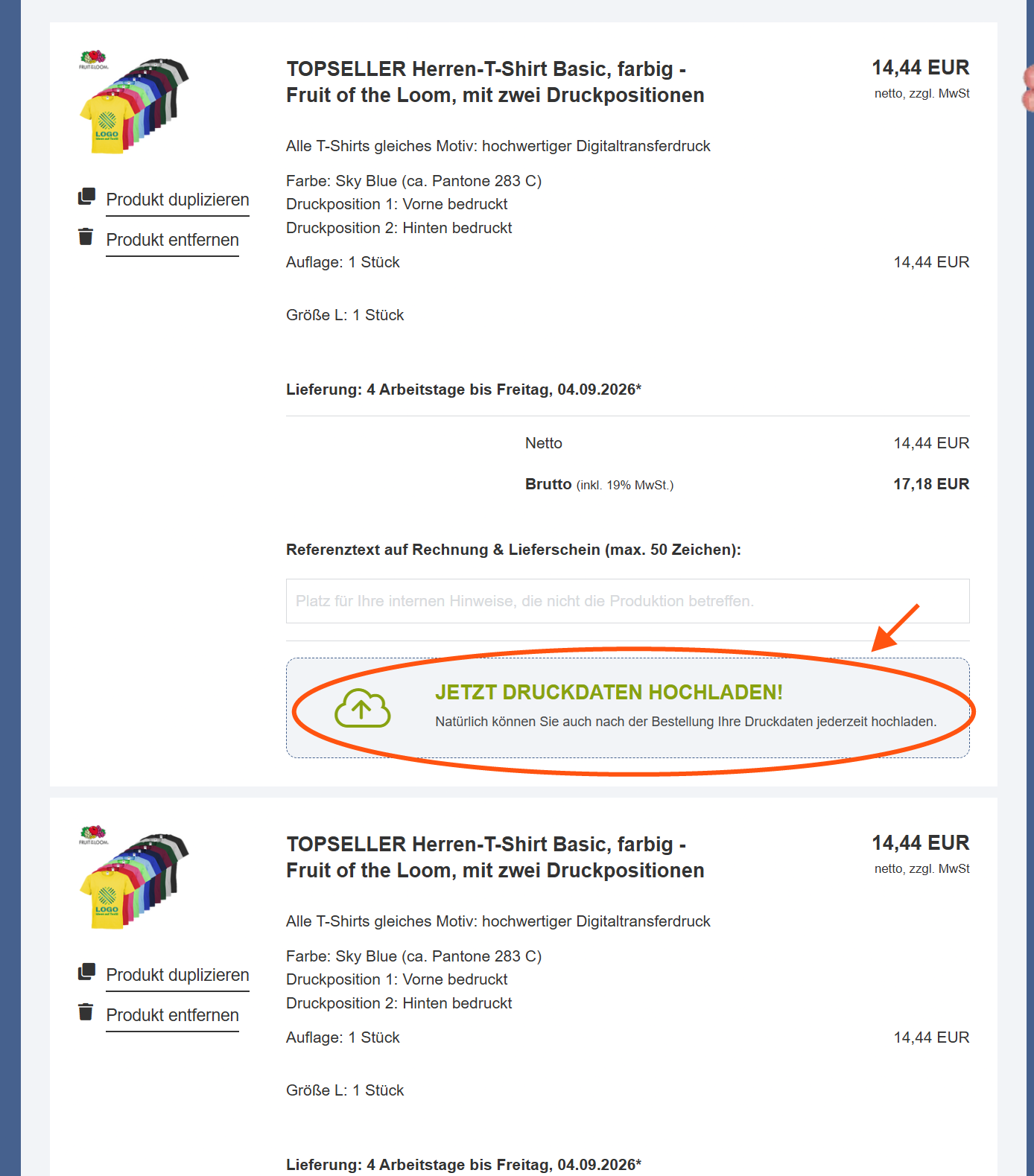
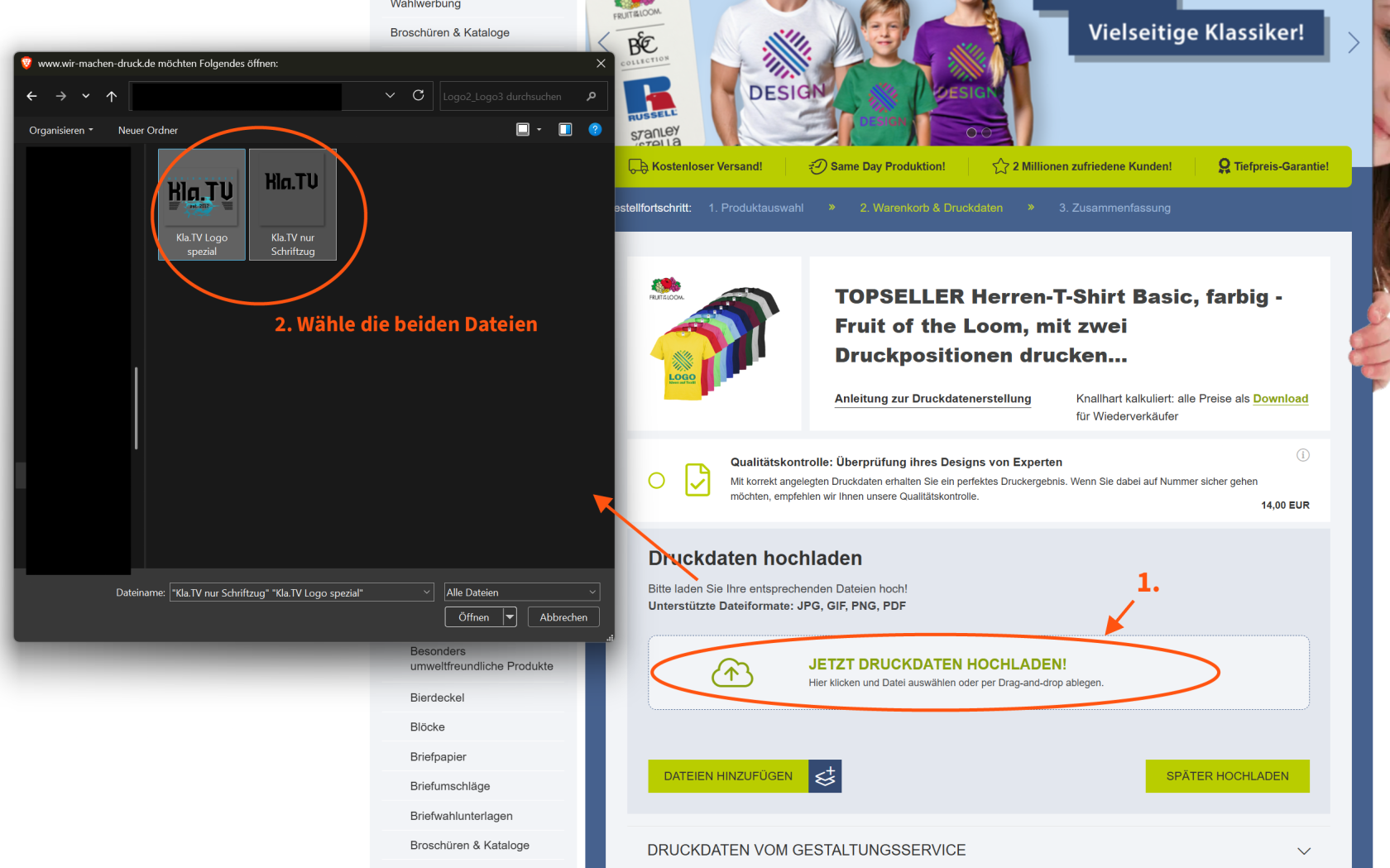
##### **3. Klicke auf "Jetzt Druckdaten hochladen" und lade die in Schritt 1 heruntergeladenen Logos hoch**
[](https://wiki.kla.tv/uploads/images/gallery/2026-08/Fs8ZE2XhZMxcs8UO-beidseitiger-druck-bunt-03.png)
[](https://wiki.kla.tv/uploads/images/gallery/2026-08/sQjIoFyj4C1dOamL-beidseitiger-druck-bunt-04.png)
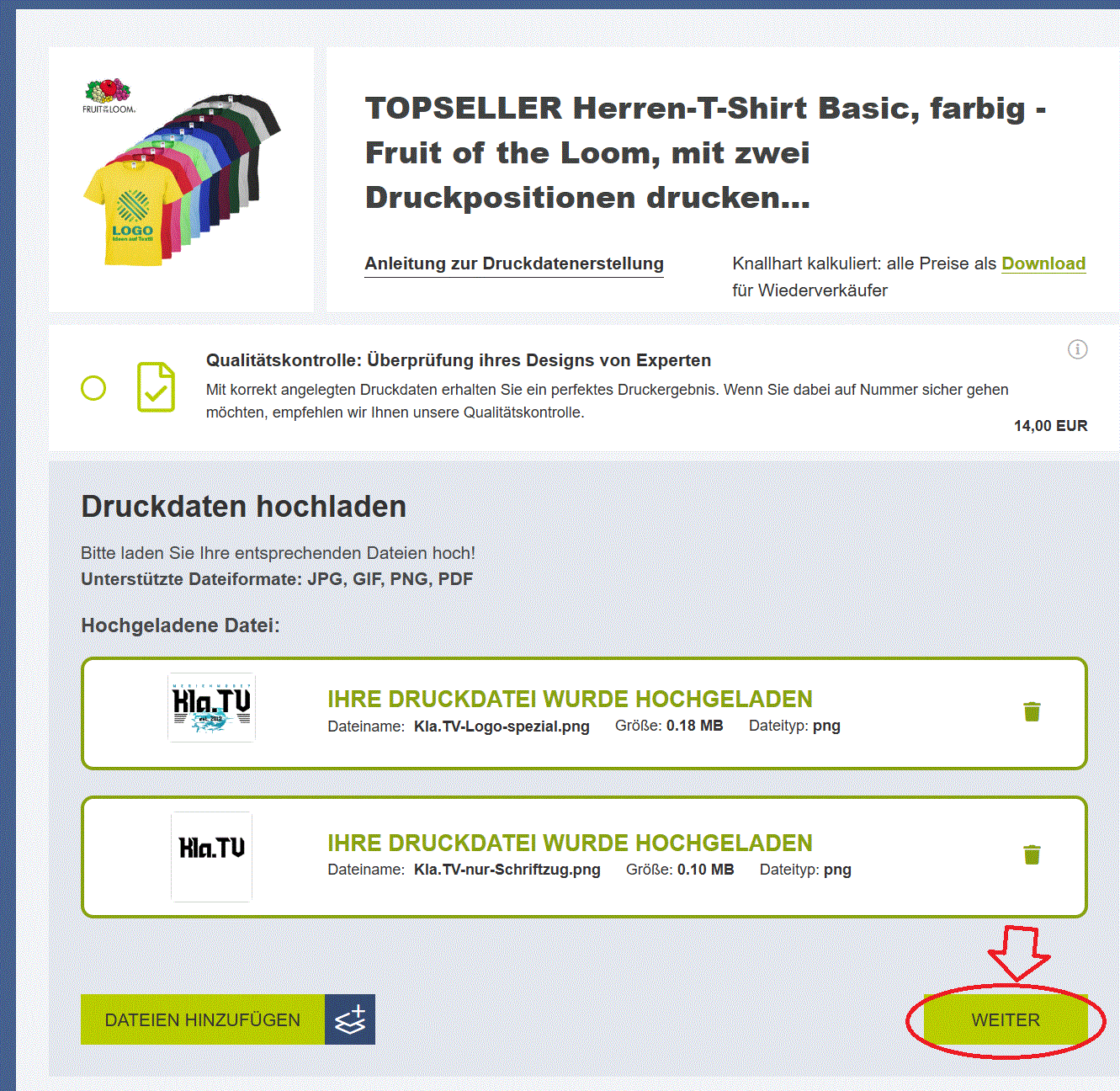
##### **4. Klicke auf "weiter"**
[](https://wiki.kla.tv/uploads/images/gallery/2026-08/LWlKIVVk8okXUvXj-beidseitiger-druck-bunt-05.gif)
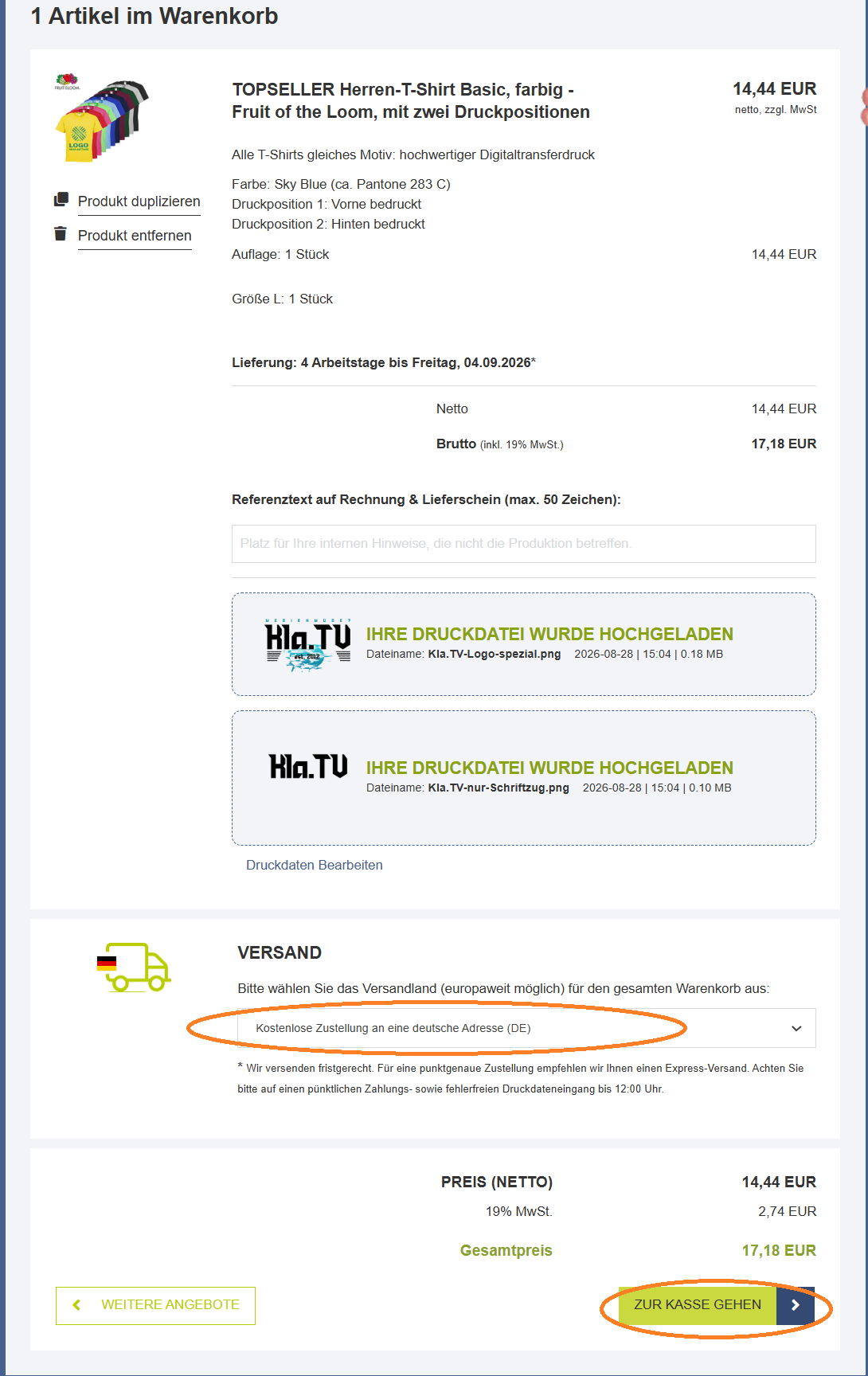
##### **5. Gib das Versandland an und klicke auf "Zur Kasse gehen"**
[](https://wiki.kla.tv/uploads/images/gallery/2026-08/ceQu9MMe7I2k2r5x-beidseitiger-druck-bunt-06.png)
##### **6. Bestelle direkt über Paypal oder erstelle ein neues Konto**
**[](https://wiki.kla.tv/uploads/images/gallery/2026-08/PLKoADDj69HGgXDa-10-bestellung.png)**
##### **7. Gespannt darauf warten, dass die Bestellung eintrifft**