# Filezilla (Mac, Linux, Windows) کا استعمال کرتے ہوئے "Kla.TV-Offline" کو اپ ٹو ڈیٹ رکھیں

یہ ویڈیو بتاتا ہے کہ یہ کیسے کام کرتا ہے:


<div class="responsive-iframe" id="bkmrk--1"><iframe allowfullscreen="allowfullscreen" frameborder="0" height="332" src="https://www.kla.tv/index.php?a=showembed&vidid=37260&lang=de" width="590"></iframe>

</div>
### <span style="color: rgb(255, 255, 255);">**<span style="background-color: rgb(29, 62, 98);"><span style="background-color: rgb(45, 194, 107);"><span style="background-color: rgb(29, 62, 98);"> </span></span>WinSCP یا FileZilla؟   
</span>**</span>

#### <span style="color: rgb(255, 255, 255);">**<span style="background-color: rgb(164, 0, 0);"> 1 </span> <span style="background-color: rgb(29, 62, 98);"><span style="background-color: rgb(45, 194, 107);"><span style="background-color: rgb(29, 62, 98);"> </span></span>FileZilla ڈاؤن لوڈ کریں۔   
</span>**</span>

سب سے پہلے آپ کو انسٹالیشن فائل کی ضرورت ہے۔ آپ اسے لنک پر کلک کر کے ڈاؤن لوڈ کر سکتے ہیں:

<p class="callout success">**[HIER KLICKEN (https://filezilla-project.org/download.php)](https://www.heise.de/download/product/filezilla-18785/download/danke?id=a7ddf635-1e21-48f4-9add-e7612e13c3b2)**</p>

#### <span style="color: rgb(255, 255, 255);">**<span style="background-color: rgb(164, 0, 0);"> 2 </span> <span style="background-color: rgb(29, 62, 98);"><span style="background-color: rgb(45, 194, 107);"><span style="background-color: rgb(29, 62, 98);"> </span></span>FileZilla انسٹال کریں۔   
</span>**</span>

#### <span style="color: rgb(255, 255, 255);">**<span style="background-color: rgb(164, 0, 0);"> 3 </span> <span style="background-color: rgb(29, 62, 98);"><span style="background-color: rgb(45, 194, 107);"><span style="background-color: rgb(29, 62, 98);"> </span></span>FileZilla کو سرور سے مربوط کریں۔   
</span>**</span>

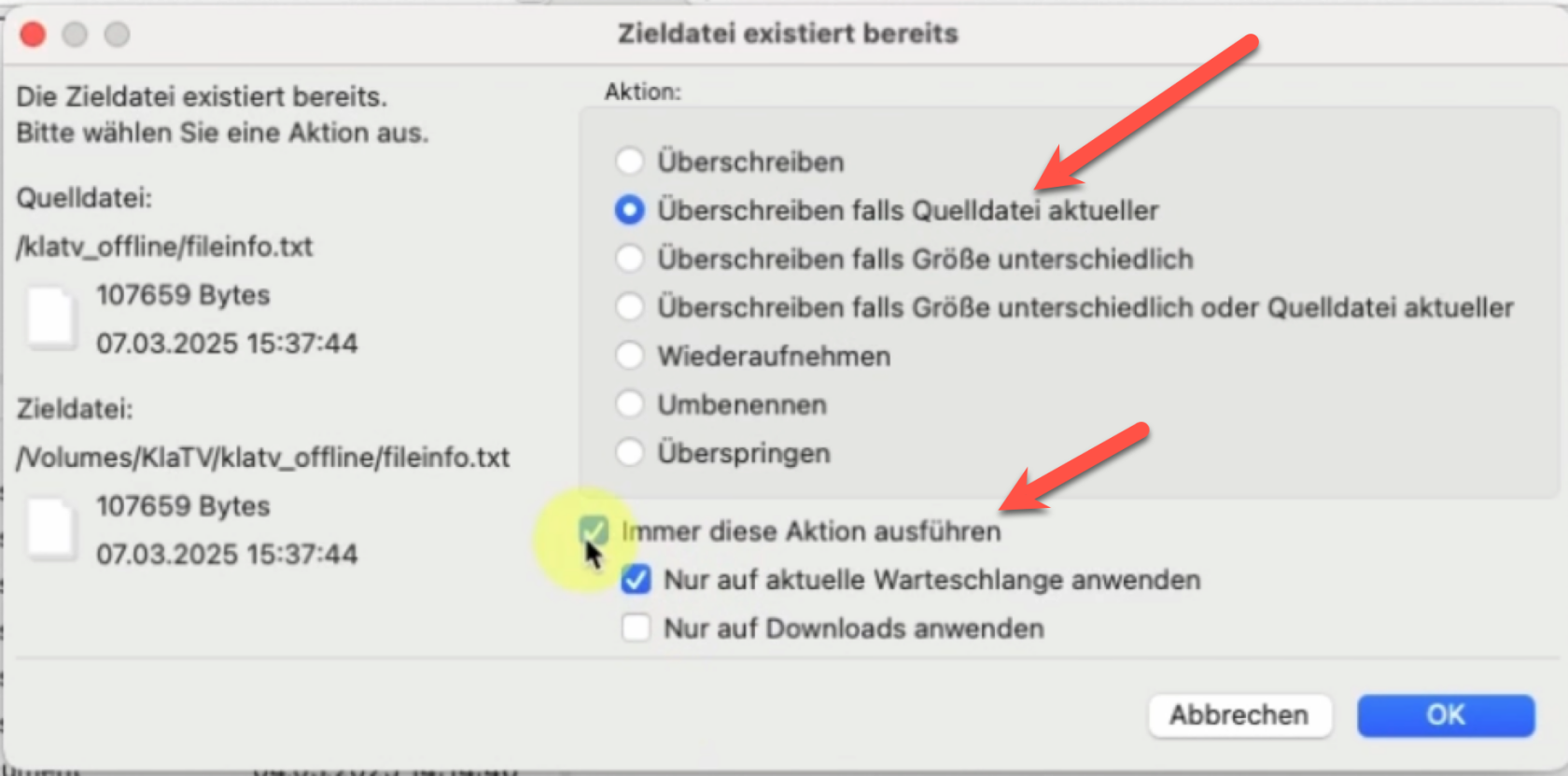
#### <span style="color: rgb(255, 255, 255);">**<span style="background-color: rgb(164, 0, 0);"> 4 </span> <span style="background-color: rgb(29, 62, 98);"><span style="background-color: rgb(45, 194, 107);"><span style="background-color: rgb(29, 62, 98);"> </span></span></span>**</span><span style="color: rgb(255, 255, 255);">**<span style="background-color: rgb(29, 62, 98);">اپنے آرکائیو کو سنکرونائز کریں۔   
</span>**</span>

<div class="responsive-iframe" id="bkmrk--3"></div><div class="responsive-iframe" id="bkmrk--4"></div>[![grafik.png](https://wiki.kla.tv/uploads/images/gallery/2025-03/scaled-1680-/FMg5KlE97WgkdEbI-grafik.png)](https://wiki.kla.tv/uploads/images/gallery/2025-03/FMg5KlE97WgkdEbI-grafik.png)

### <span style="color: rgb(255, 255, 255); background-color: rgb(164, 0, 0);"> **مکمل** </span>