# Gardez « Kla.TV-Offline » à jour avec Filezilla (Mac,Linux,Windows)

### <span style="color: rgb(255, 255, 255);">**<span style="background-color: rgb(29, 62, 98);"><span style="background-color: rgb(45, 194, 107);"><span style="background-color: rgb(29, 62, 98);"> WinSCP ou</span></span></span>**</span><span style="color: rgb(255, 255, 255);">**<span style="background-color: rgb(29, 62, 98);"><span style="background-color: rgb(45, 194, 107);"><span style="background-color: rgb(29, 62, 98);"> FileZilla?</span></span> </span>**</span>

<div class="responsive-iframe" id="bkmrk-"><iframe allowfullscreen="allowfullscreen" frameborder="0" height="332" src="https://video.elaion-verlag.ch?video_by_id=sYawdzXmyQyO" width="590"></iframe>

</div><div class="responsive-iframe" id="bkmrk--1"></div>### <span style="color: rgb(255, 255, 255);">**<span style="background-color: rgb(164, 0, 0);"> 1 </span> <span style="background-color: rgb(29, 62, 98);"><span style="background-color: rgb(45, 194, 107);"><span style="background-color: rgb(29, 62, 98);"> </span></span>Télécharger FileZilla </span>**</span>

Vous avez d’abord besoin du fichier d’installation. Vous pouvez le télécharger en cliquant sur le lien :

<p class="callout success">**[CLIQUEZ ICI (https://filezilla-project.org/download.php)](https://www.heise.de/download/product/filezilla-18785/download/danke?id=a7ddf635-1e21-48f4-9add-e7612e13c3b2)**</p>

### <span style="color: rgb(255, 255, 255);">**<span style="background-color: rgb(164, 0, 0);"> 2 </span> <span style="background-color: rgb(29, 62, 98);"><span style="background-color: rgb(45, 194, 107);"><span style="background-color: rgb(29, 62, 98);"> </span></span>Installer FileZilla </span>**</span>

<div class="responsive-iframe" id="bkmrk--2"><iframe allowfullscreen="allowfullscreen" frameborder="0" height="332" src="https://video.elaion-verlag.ch?video_by_id=nt69PHgzAygm" width="590"></iframe>

</div><div class="responsive-iframe" id="bkmrk--3"></div>### <span style="color: rgb(255, 255, 255);">**<span style="background-color: rgb(164, 0, 0);"> 3 </span><span style="background-color: rgb(29, 62, 98);"><span style="background-color: rgb(45, 194, 107);"><span style="background-color: rgb(29, 62, 98);">Relier </span></span>FileZilla au serveur   
</span>**</span>

<iframe allowfullscreen="allowfullscreen" frameborder="0" height="332" src="https://video.elaion-verlag.ch?video_by_id=kGX3IhWEO767" width="590"></iframe>

<div class="responsive-iframe" id="bkmrk--5"><div class="responsive-iframe"></div></div>### <span style="color: rgb(255, 255, 255);">**<span style="background-color: rgb(164, 0, 0);"> 4 </span> <span style="background-color: rgb(29, 62, 98);"><span style="background-color: rgb(45, 194, 107);"><span style="background-color: rgb(29, 62, 98);"> </span></span></span>**</span><span style="color: rgb(255, 255, 255);">**<span style="background-color: rgb(29, 62, 98);">Synchroniser vos archives</span>**</span><span style="color: rgb(255, 255, 255);">**<span style="background-color: rgb(29, 62, 98);">   
</span>**</span>

<div class="responsive-iframe" id="bkmrk--6"><div class="responsive-iframe"><iframe allowfullscreen="allowfullscreen" frameborder="0" height="332" src="https://video.elaion-verlag.ch?video_by_id=MvZpVHHgNp1l" width="590"></iframe>

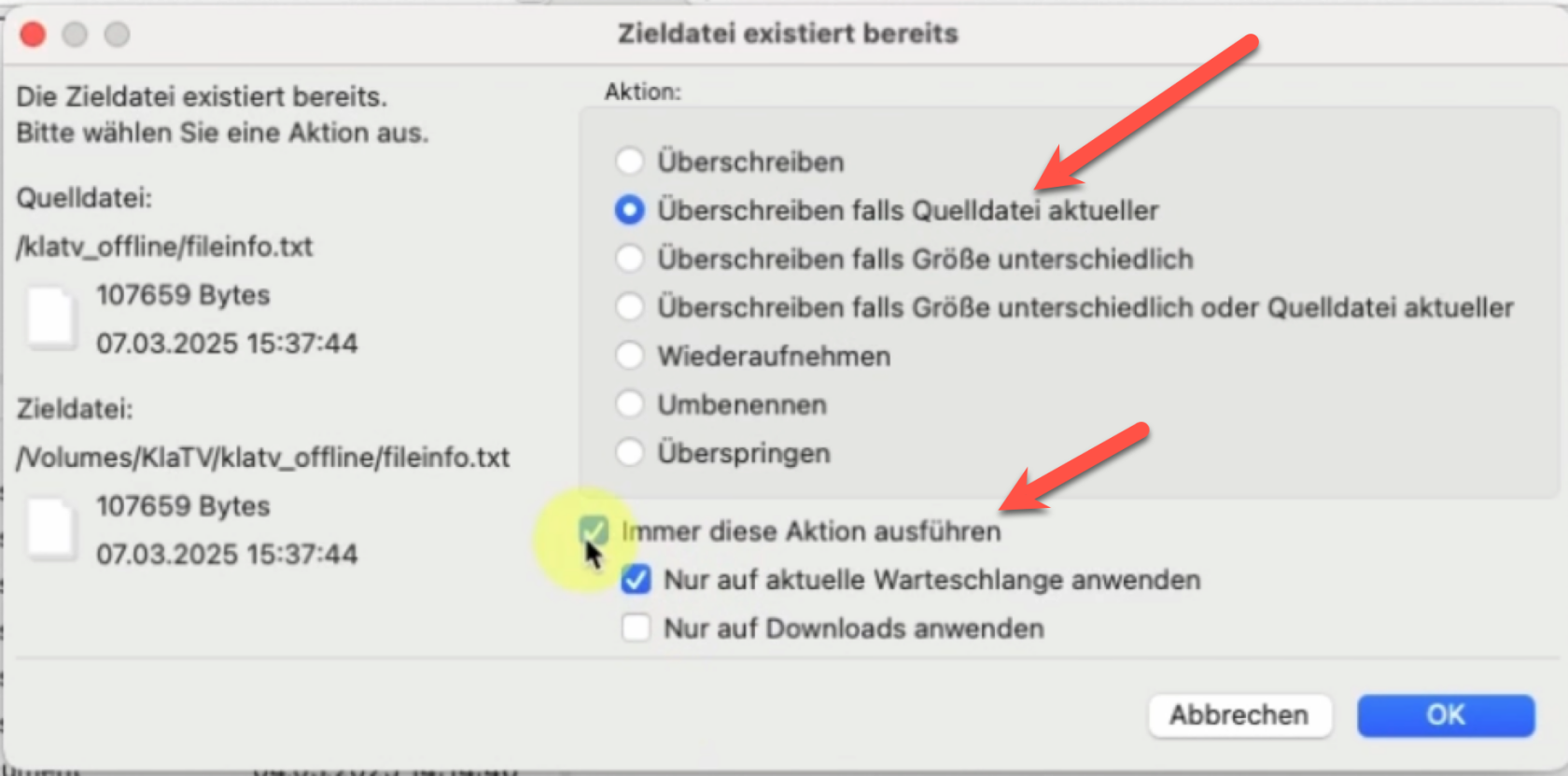
</div></div><div class="responsive-iframe" id="bkmrk--7"></div>[![grafik.png](https://wiki.kla.tv/uploads/images/gallery/2025-03/scaled-1680-/FMg5KlE97WgkdEbI-grafik.png)](https://wiki.kla.tv/uploads/images/gallery/2025-03/FMg5KlE97WgkdEbI-grafik.png)

#### **En français : "Remplacer si la source est plus récente"**

### <span style="color: rgb(255, 255, 255); background-color: rgb(164, 0, 0);"> **VOUS AVEZ FINI** </span>